Work From Home Schedule: Practical Daily Templates and Examples
Introduction
Working from home offers flexibility, but deciding how to organize your working hours can be challenging. Without a clear schedule, work can extend into personal time, important tasks may be delayed, and everyday responsibilities can become difficult to manage.
A practical work-from-home schedule gives structure to your day. It helps you decide when to focus, attend meetings, take breaks, handle administrative tasks, and finish work.
However, there is no single schedule that works for everyone. A full-time employee, a parent working remotely, and a freelancer may have very different routines.
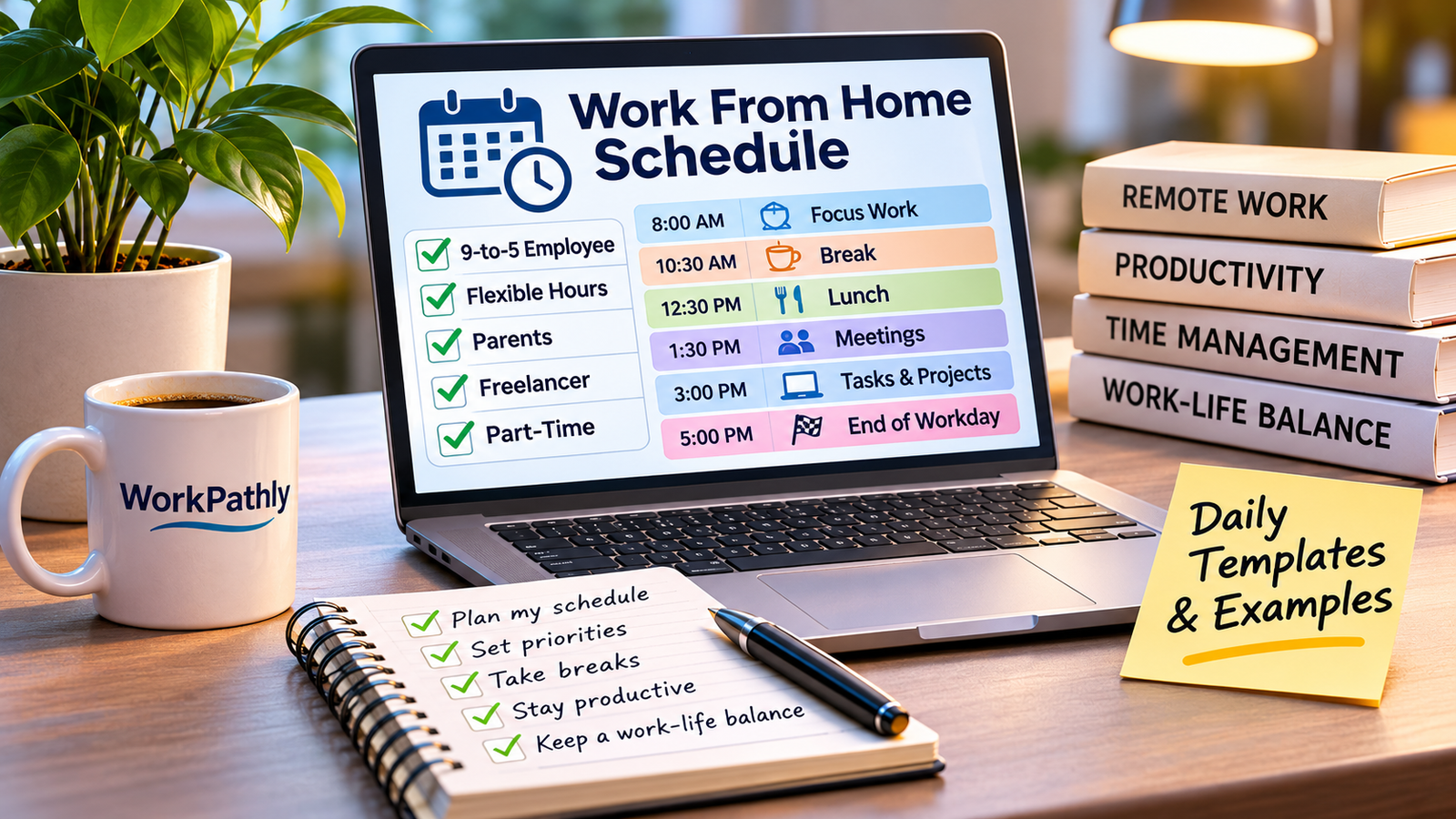
In this guide, you will find five practical work-from-home schedule templates, including examples for traditional employees, people with flexible hours, parents, freelancers, and part-time workers. You will also learn how to customize a schedule that fits your responsibilities and working style.
If you first want to understand how to build healthy daily habits, read our related guide on How to Create a Daily Routine When Working From Home.
What Is a Work-From-Home Schedule?
A work-from-home schedule is a structured plan that organizes your professional activities throughout the day.
It typically includes:
- Starting and finishing times.
- Periods for focused work.
- Meetings and communication.
- Short breaks.
- Lunch and personal time.
- Administrative tasks.
- A daily review before finishing work.
The purpose is not to fill every minute with activities. A good schedule provides enough structure to help you complete your responsibilities while preserving time for rest and personal commitments.
Some employees must follow fixed working hours established by their employers. Others have greater flexibility and can organize their schedules around deadlines and agreed availability.
Your schedule should reflect the requirements of your position rather than forcing you to follow someone else's routine.
Why Having a Work-From-Home Schedule Matters
A practical schedule can improve several aspects of remote work.
Better Time Management
Planning your activities helps you understand how much time you have available and which responsibilities deserve priority.
Instead of constantly deciding what to do next, you can follow a realistic plan.
Fewer Distractions
When you establish periods for focused work, it becomes easier to recognize when personal activities, household chores, and notifications need to wait.
You may not eliminate every interruption, but you can reduce unnecessary distractions.
Healthier Work-Life Boundaries
One common challenge of remote work is allowing professional responsibilities to extend beyond scheduled hours.
A defined finishing time can help you transition from work to personal life.
More Organized Communication
Scheduling meetings, checking messages, and planning collaborative activities can make communication more predictable.
This is particularly useful when working with colleagues or clients in different time zones.
More Realistic Expectations
A good schedule recognizes that people need breaks, meals, and time to manage responsibilities outside work.
It should support consistent performance rather than encourage unrealistic productivity expectations.
1. Traditional 9-to-5 Work-from-Home Schedule
A traditional 9-to-5 schedule is suitable for employees who follow regular business hours.
It can work well for administrative professionals, customer support employees, marketing specialists, virtual assistants, and other workers with established working hours.
Example of a Traditional Daily Schedule
| Time | Activity |
|---|---|
| 8:00 AM - 9:00 AM | Morning preparation and breakfast |
| 9:00 AM - 10:30 AM | Focused work and priority tasks |
| 10:30 AM - 10:45 AM | Short break |
| 10:45 AM - 12:30 PM | Meetings and project work |
| 12:30 PM - 1:15 PM | Lunch break |
| 1:15 PM - 3:00 PM | Administrative tasks and collaboration |
| 3:00 PM - 3:15 PM | Short break |
| 3:15 PM - 4:45 PM | Remaining priorities |
| 4:45 PM - 5:00 PM | Review and prepare for the next day |
| 5:00 PM | End of workday |
This example provides a clear structure while allowing time for meetings, concentrated activities, and breaks.
If your employer requires different working hours, adjust the schedule to match your agreed arrangement.
Who Can Benefit From This Schedule?
This model may be useful for:
- Full-time remote employees.
- Administrative assistants.
- Customer support representatives.
- Marketing and communications professionals.
- Employees who collaborate with teams during standard business hours.
The main advantage is predictability. You know when you are expected to work and can organize personal responsibilities around those hours.
2. Flexible Work-from-Home Schedule
Some remote positions allow employees to organize their working hours within agreed limits.
Instead of following a strict 9-to-5 schedule, you may be able to choose when to complete certain activities, provided you meet deadlines and remain available for essential meetings.
Example of a Flexible Daily Schedule
| Time | Activity |
|---|---|
| 7:30 AM - 8:30 AM | Morning routine and breakfast |
| 8:30 AM - 10:30 AM | Focused work |
| 10:30 AM - 10:45 AM | Short break |
| 10:45 AM - 12:30 PM | Project work |
| 12:30 PM - 1:30 PM | Lunch and personal time |
| 1:30 PM - 3:00 PM | Meetings and collaboration |
| 3:00 PM - 4:00 PM | Administrative tasks |
| 4:00 PM - 4:15 PM | Short break |
| 4:15 PM - 5:30 PM | Final tasks and daily review |
This schedule provides a consistent structure while allowing some flexibility in how work is organized.
How to Make Flexible Hours Work
Start by identifying deadlines, meetings, and periods when your presence is required.
Then organize your remaining tasks around your most productive hours.
For example, if you concentrate better in the morning, use that time for complex assignments and reserve less demanding activities for later.
Remember that flexible hours do not necessarily mean unlimited availability. Follow your employer's expectations and communicate your schedule clearly.
3. Work-from-Home Schedule for Parents
Parents working remotely may need to coordinate professional responsibilities with school schedules, childcare arrangements, and family needs.
This can require additional planning and flexibility.
There is no universal schedule for parents. Household circumstances, children's ages, available childcare, and job requirements all influence how the day can be organized.
Example of a Parent-Friendly Daily Schedule
| Time | Activity |
|---|---|
| 6:30 AM - 7:30 AM | Morning preparation and family breakfast |
| 7:30 AM - 8:30 AM | School preparation or childcare arrangements |
| 8:30 AM - 10:00 AM | Focused work |
| 10:00 AM - 10:15 AM | Short break |
| 10:15 AM - 12:00 PM | Professional tasks and meetings |
| 12:00 PM - 1:00 PM | Lunch and family responsibilities |
| 1:00 PM - 2:30 PM | Work period |
| 2:30 PM - 3:00 PM | School pickup or scheduled family needs |
| 3:00 PM - 4:30 PM | Remaining work, when childcare and job arrangements permit |
| 4:30 PM - 5:00 PM | Review tasks and finish work |
This is an illustrative arrangement, not a recommendation that parents should combine childcare and full-time work without support.
Working from home does not automatically mean being available for childcare throughout the workday.
When possible, consider reliable childcare arrangements, support from family members, or an agreed flexible schedule with your employer.
Practical Tips for Parents
- Identify periods when uninterrupted work is most realistic.
- Coordinate schedules with other household members when possible.
- Communicate availability and meeting requirements.
- Keep a realistic list of daily priorities.
- Avoid assuming that every day will follow the same pattern.
A flexible plan can help parents manage competing responsibilities without creating unrealistic expectations.
4. Freelancer Daily Schedule
Freelancers often have greater control over their working hours, but they also need to manage clients, deadlines, administrative responsibilities, and the search for new projects.
Without a clear schedule, it is easy to spend too much time on emails, meetings, or activities that do not directly contribute to completing paid work.
Example of a Freelancer Schedule
| Time | Activity |
|---|---|
| 8:00 AM - 8:30 AM | Review messages and project deadlines |
| 8:30 AM - 10:30 AM | Main client project |
| 10:30 AM - 10:45 AM | Short break |
| 10:45 AM - 12:00 PM | Client work and revisions |
| 12:00 PM - 1:00 PM | Lunch |
| 1:00 PM - 2:00 PM | Client meetings and communication |
| 2:00 PM - 3:00 PM | New proposals and business development |
| 3:00 PM - 3:15 PM | Short break |
| 3:15 PM - 4:30 PM | Administrative work and project planning |
| 4:30 PM - 5:00 PM | Review deadlines and organize tomorrow's tasks |
How Freelancers Can Organize Their Time
Separate your responsibilities into categories:
Client work: activities that directly fulfill paid projects.
Business development: searching for opportunities, sending proposals, and maintaining professional relationships.
Administration: invoices, records, financial organization, and scheduling.
Professional development: improving skills and learning tools relevant to your services.
Give priority to contractual commitments and deadlines. Reserve specific periods for administrative and business development activities so that they do not consume the entire day.
5. Part-Time Remote Work Schedule
Part-time remote employees generally work fewer hours than full-time employees, but their schedules still need structure.
Some people work several hours every weekday, while others concentrate their working hours on selected days.
Example of a Four-Hour Daily Schedule
| Time | Activity |
|---|---|
| 8:00 AM - 8:15 AM | Review priorities |
| 8:15 AM - 9:45 AM | Focused work |
| 9:45 AM - 10:00 AM | Short break |
| 10:00 AM - 11:15 AM | Meetings and assigned tasks |
| 11:15 AM - 11:45 AM | Administrative activities |
| 11:45 AM - 12:00 PM | Review and finish |
This arrangement may suit people with part-time contracts, students with approved work schedules, or professionals combining multiple responsibilities.
Your schedule should always reflect the hours agreed with your employer or clients.
How to Build Your Own Work-from-Home Schedule
The examples above are starting points. The most effective schedule is one that fits your actual responsibilities.
Use these steps to create your own plan.
Step 1: Confirm Your Working Hours
Identify the hours during which you are expected to work.
Consider employer requirements, client availability, time zones, and recurring meetings.
Step 2: List Your Daily Responsibilities
Write down the tasks you must complete regularly.
Separate essential responsibilities from activities that can be scheduled less frequently.
Step 3: Identify Your Most Productive Periods
Notice when you usually feel most focused.
If possible, reserve those periods for activities requiring concentration.
Step 4: Include Meetings and Communication
Add scheduled meetings to your calendar.
Also consider when you need to check email, messaging platforms, and project management tools.
Step 5: Schedule Breaks and Lunch
Include short breaks and a proper meal period.
A schedule that does not allow time for basic personal needs is unlikely to remain sustainable.
Step 6: Establish a Finishing Time
Identify when your workday should normally end.
Before finishing, review your progress and prepare priorities for the next workday.
Step 7: Review and Adjust Your Schedule
After following your schedule for several days, identify what works and what needs improvement.
You may need to move meetings, reorganize tasks, or adjust the length of focused work periods.
A useful schedule should evolve with your responsibilities rather than remain fixed regardless of circumstances.
Common Mistakes When Creating a Work-from-Home Schedule
Planning Too Many Tasks
A schedule that includes more work than you can realistically complete creates unnecessary pressure.
Prioritize essential activities and leave some room for unexpected requests.
Ignoring Meetings and Time Zones
Remote teams may work across different locations.
Confirm meeting times and consider the time zones of colleagues and clients before organizing your daily activities.
Forgetting Breaks
Leaving no time for breaks or lunch can make a schedule uncomfortable and difficult to maintain.
Build reasonable rest periods into your day.
Staying Available All the Time
Remote work does not mean you must respond to every message immediately.
Follow your job requirements, communicate your availability, and protect periods needed for concentrated work.
Copying Someone Else's Schedule
A schedule that works for a freelancer may not suit a customer support employee or a parent with family responsibilities.
Use examples as inspiration and adapt them to your own circumstances.
Frequently Asked Questions
What is a good work-from-home schedule?
A good schedule includes realistic working hours, focused work periods, meetings, breaks, lunch, and a clear finishing time. The exact arrangement depends on your job requirements and personal circumstances.
What is the best time to start working from home?
There is no universal starting time. Some positions require traditional business hours, while others allow flexible schedules. Follow your employer's requirements and choose a consistent routine when possible.
How many breaks should I take when working from home?
Break needs vary depending on the type of work and individual circumstances. Many people benefit from short breaks throughout the day and a proper lunch break. Follow applicable workplace policies and requirements.
Can I create a flexible work-from-home schedule?
Yes, when your job arrangement permits it. Discuss availability and expectations with your employer or clients before changing your working hours.
How can parents organize a work-from-home schedule?
Parents can begin by identifying working hours, school activities, childcare arrangements, and essential meetings. A realistic schedule should recognize that professional work and childcare may require separate support and arrangements.
Should freelancers follow a fixed daily schedule?
A fixed schedule is not essential for every freelancer, but having regular work periods can help organize client commitments, business development, and administrative responsibilities.
How do I stay productive when working from home?
Set clear priorities, organize your working hours, reduce avoidable distractions, and take appropriate breaks. For more ideas, read our guide on How to Stay Productive When Working From Home.
Final Thoughts
A practical work-from-home schedule can make remote work easier to organize and more sustainable over time.
Whether you work traditional business hours, manage flexible responsibilities, care for a family, or operate as a freelancer, having a clear plan helps you understand how to organize your day.
Start with a schedule that reflects your actual responsibilities. Include time for focused work, communication, breaks, and personal needs.
Review your results and make adjustments as your professional circumstances change.
If you want to develop healthier work habits in addition to organizing your hours, continue with our guide on How to Create a Daily Routine When Working From Home.
Together, these practical resources can help you build a more organized and balanced remote work experience.